
The Ultimate Guide (2026): Master the Contact Information Scraper for B2B Lead Generation
Manually collecting business contact details is slow, messy, and inconsistent. A contact information scraper helps you extract emails, phone numbers, and social profiles from websites—then export everything into a clean CSV/Excel list you can actually use for outreach.
Updated for 2026 with a practical workflow, verified tool comparisons, and a compliance checklist.
How to Optimize Your B2B Lead Generation with a Contact Information Scraper
B2B outreach depends on one thing: reliable contact data. But when teams compile leads manually, they lose hours, miss key contacts, and copy incorrect details. A contact information scraper solves this by automating the extraction of business contact details from websites—so you focus on prospecting and conversions instead of hunting for emails.
Instead of clicking through dozens of pages, a contact information scraper can collect:
- Email addresses (publicly listed)
- Phone numbers (business lines where available)
- Social profiles (LinkedIn, Facebook, Instagram, Twitter/X—when present)
- Source URLs (so your team can verify quickly)
Think of it like building a lead list on autopilot: you feed it target domains or URLs, and you receive a structured dataset ready for sales or marketing.
How This Tool Can Enhance Your Lead Generation
Contact Information Scraper Workflow (5 Steps)
- Choose your targets: Pick a niche + region and list the websites you want to scrape.
- Focus on high-signal pages: Contact, About, Team, Footer, Locations, Support.
- Run the scraper: Extract emails, phone numbers, and social profiles.
- Clean your output: De-duplicate, normalize phone formats, and verify emails.
- Import to CRM: Segment leads and launch personalized outreach.
Recommended output columns (copy this into Google Sheets):
| Company | Website | Phone | Other Social | Source URL | Notes | ||
|---|---|---|---|---|---|---|---|
| Example Co | example.com | [email protected] | +1 555-0100 | linkedin.com/company/example | instagram.com/example | example.com/contact | Verify role + region |
Use this workflow if you want a clean lead list fast—without wasting time on manual research.
Start Extracting Business Contacts Now
Efficient Data Analysis (Turn Contacts into Pipeline)
Extraction is only step one. The real win comes from making the list usable:
- De-duplicate emails/phones across pages
- Tag by niche, region, and service category
- Verify emails before large outreach campaigns
- Import into your CRM with consistent fields
When your dataset is structured from the start, outreach becomes easier to personalize, track, and improve over time.
Understanding the Importance of Contact Scrapers
Contact scrapers automate the repetitive part of lead generation: finding publicly listed contact details across websites. For teams doing B2B sales, partnerships, recruiting, or local outreach, the time savings can be significant—especially when combined with a clean CRM workflow.
Why Contact Scrapers Are Essential
A good contact information scraper helps you move faster without compromising clarity. Instead of guessing where a business lists their contact info, you collect the details from the pages where they actually publish it and store the source URL for quick verification.
Benefits of Using Contact Scrapers
- Time savings: Reduce hours of manual research into minutes.
- Consistency: Same output format for every list, every time.
- Scalability: Build lead lists across many domains without burning the team out.
Real-World Use Cases (Practical Examples)
- Agencies: Build lists for local businesses by niche (dentists, gyms, real estate, etc.).
- SaaS: Collect partner leads from directories and company sites.
- Recruiting: Gather company contact channels for outbound recruiting.
- Operations: Keep vendor and supplier contact lists updated.
Criteria for Choosing the Best Affordable Contact Information Scraper
Not all tools do the same job. Some tools “find” emails from databases; others “extract” contact info from websites. Your choice should match your workflow and data source.
Key Features to Look For in a Contact Information Scraper
- Website extraction: Best when your targets are specific companies.
- Multiple fields: Email + phone + socials + source URL.
- Export formats: CSV/Excel/JSON for easy CRM import.
- Duplicate handling: Cleaner lists and fewer wasted outreach attempts.
- Support and documentation: Saves time when scaling.
Budget Considerations
If you’re starting out, avoid tools that charge heavily before you validate your outreach. A cost-effective contact information scraper should let you test the workflow, then scale up gradually when it’s working.
Top Affordable Options (When to Use What)
- Hunter.io: Great for email discovery + verification when you already know the domain and want email patterns.
- Snov.io: Strong for outreach workflows + lead ops once you have a defined process.
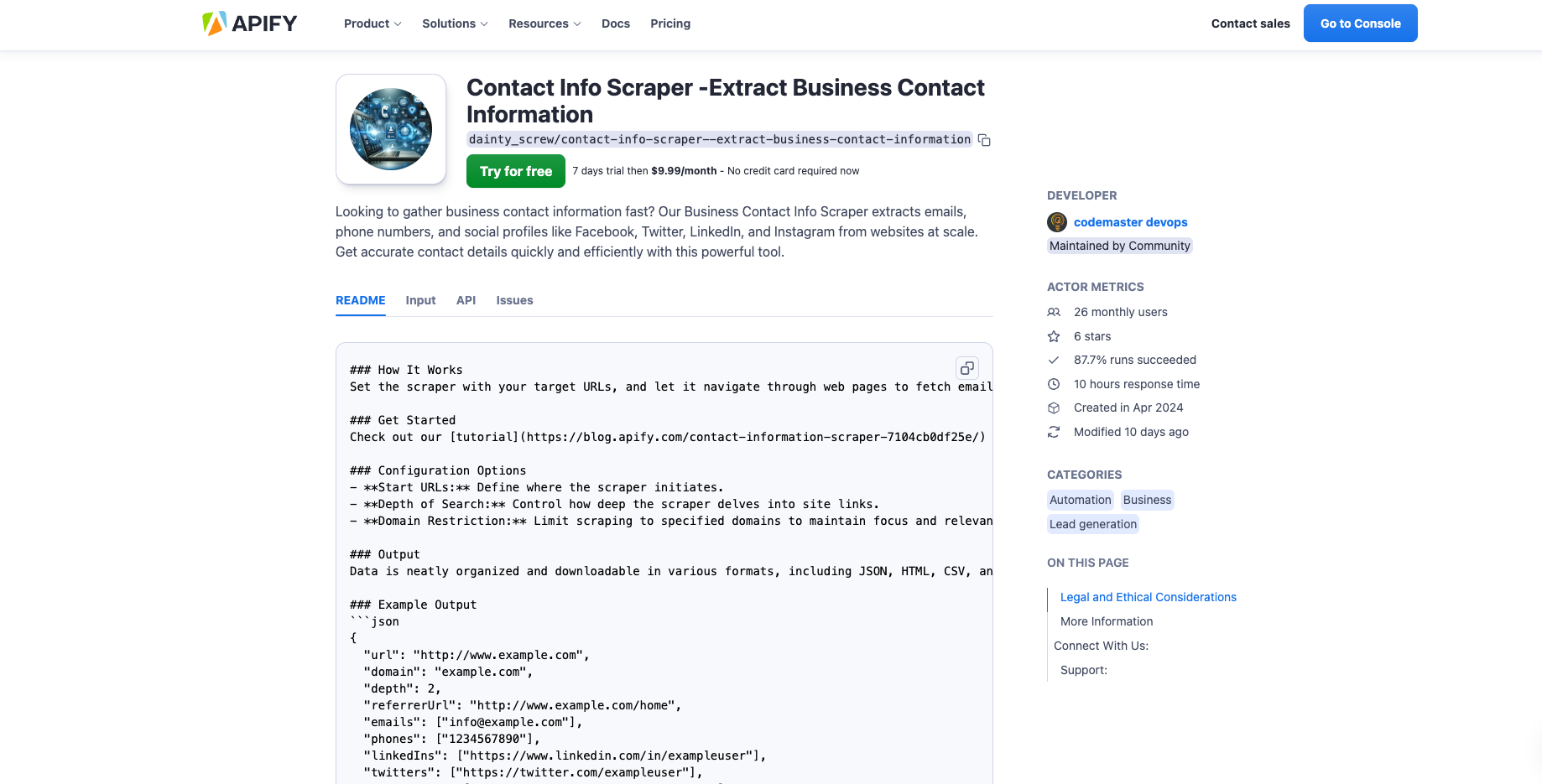
- Contact Info Scraper (Apify): Best when you want to extract emails/phones/socials directly from website pages at scale.
Comparison Chart
| Tool | Best For | Strengths | Limitations | Starting Price* |
|---|---|---|---|---|
| Hunter.io | Email discovery + verification | Clean UI, strong verification, domain-based workflows | Focused mainly on email (not full contact extraction) | From $49/month |
| Snov.io | Lead ops + outreach | Outreach automation, verification, workflows | Costs scale with usage; can be more complex | From $39/month |
| Contact Info Scraper (Apify) | Website-based contact extraction | Emails + phones + socials + source URLs, exports CRM-ready | Quality depends on what each site publishes publicly | $9.99/month + usage |
*Pricing can change—always confirm on official pricing pages.
Product Advertisement – Contact Info Scraper
Contact Info Scraper is a practical contact information scraper built to collect emails, phone numbers, and social links from websites and deliver them in a structured export format for lead generation.
Introduction to Contact Info Scraper
If your workflow starts with “find companies → visit their websites → collect contact info,” this tool helps you automate that process and keep the results organized.
Data Extraction Capabilities
- Extracts publicly listed emails and phone numbers
- Captures social profiles when available
- Stores source URLs to support verification
- Exports results as CSV / JSON for easy import
How It Works
- Enter target URLs/domains (single site or a list).
- Run the actor to crawl relevant pages.
- Extract contact details (email, phone, socials).
- Export the output (CSV/JSON) and clean duplicates.
- Import into your CRM and launch segmented outreach.
Customer Reviews
Tip: When you publish reviews, include real metrics (time saved, response rate improvements) and the workflow used. It builds trust and improves conversion.
Tips for Maximizing Lead Generation with a Contact Information Scraper
Best Practices
- Start narrow: Pick one niche + one region before expanding.
- Keep your list clean: de-duplicate and verify emails.
- Add source URLs: improves trust and fast-checking.
- Respect opt-outs: keep a suppression list.
Integration with CRM Systems
Use consistent columns (Company, Domain, Email, Phone, LinkedIn, Source URL). A clean import saves hours and makes it easier to track pipeline results and ROI.
Automation and Efficiency
Once your list structure is stable, automate: scrape → clean → verify → CRM import → outreach sequence → reporting. This turns lead generation into a repeatable system instead of a one-time task.
Legal, Privacy & Deliverability Checklist (Read This)
This guide is for educational purposes. Before using any contact information scraper for outreach, follow local laws and platform policies.
- Only scrape what is publicly available and relevant to your use case.
- Be transparent about why you’re contacting someone.
- Include an unsubscribe/opt-out option in outreach campaigns.
- Don’t use misleading sender info or subject lines.
- Document your data source (store the source URL).
Conclusion and Actionable Insights
A contact information scraper is one of the fastest ways to build structured B2B lead lists—if you pair it with a clean workflow: extract → verify → segment → personalize → track. Focus on quality, keep your data organized, and treat outreach as a system.
FAQ
Is scraping emails and phone numbers legal?
Rules vary by country and use case. Use publicly available data responsibly, follow platform terms, and comply with email marketing laws and data protection requirements in your region.
How accurate is a contact information scraper?
Accuracy depends on what each website publishes. For best results, collect source URLs, deduplicate, and verify emails before outreach.
Can I export the data to Excel or CSV?
Yes. A good contact information scraper should export structured data (CSV/JSON) that you can import into Google Sheets, Excel, or your CRM.
How do I extract bulk emails from multiple sites?
Use a list-based workflow: input a list of target domains/URLs, run extraction, then clean and verify. Segment before sending outreach to improve deliverability.
What’s the best way to use this for B2B lead generation?
Pick a niche, scrape relevant business sites, verify emails, personalize outreach, and track results in your CRM. Improve the workflow every week based on response rate and conversions.
Explore more tools and services to optimize your business operations. Visit QuickLife Solutions for comprehensive solutions.
Connect With Us
- YouTube: Visit our channel
- Instagram: Follow us on Instagram
- AI Newsletter: Subscribe to our newsletter
- Free Consultation: Book a free consultation call
- More Tools: Explore our Apify actors
- Discord: Raise a Support ticket here
- Contact Email: [email protected]
Hello,
We are interested in exploring a potential collaboration with you on a mutually beneficial investment project. We would be delighted to share more details with you upon receiving your response, and look forward to discussing how we can work together to achieve our goals.
Yours Sincerely,
Patrick A
Chief Director.
Hello Patrick,
Sorry for the late response. If you are still interested please reach out to [email protected] or book a meeting here https://tidycal.com/quicklifesolutions/free-consultation